PRINT PLAYBOOK CATEGORY
File Setup & Design
Learn how to prepare print-ready artwork, avoid common design mistakes, and meet commercial printing file requirements.
 ND4C Print Experts
| Sort : | Guide Title | Published | Options |
|---|---|---|---|
| Filter : |
PRINT PLAYBOOK GUIDE - FILE SETUP & DESIGN
Part of Series: File Setup
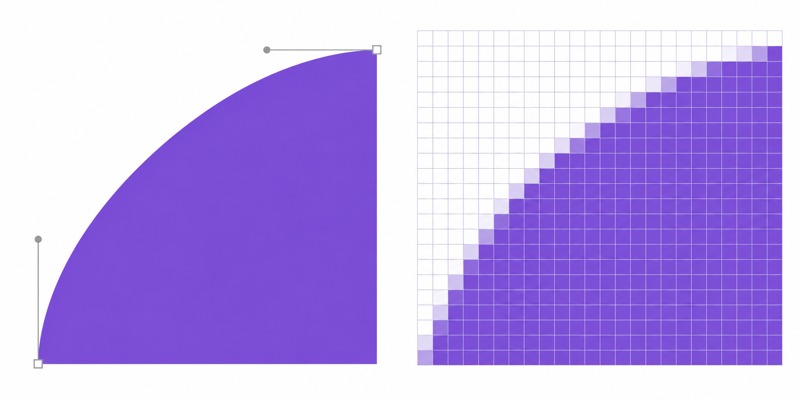
Vector vs Raster Graphics: What's Best for Printing?
Vector and raster graphics serve different purposes in commercial printing. Learn how each format works, which is best for logos, text, illustrations, and photographs, and how to preserve print quality when preparing artwork.
ND4C Print Experts
PRINT PLAYBOOK GUIDE - FILE SETUP & DESIGN
Part of Series: File Setup
PDF Print File Requirements: What Makes a PDF Print-Ready?
Learn the technical requirements for commercial printing PDFs, including page dimensions, bleed, PDF page boxes, outlined fonts, image resolution, color settings, transparency, and file verification.
ND4C Print Experts

PRINT PLAYBOOK GUIDE - FILE SETUP & DESIGN
Part of Series: File Setup
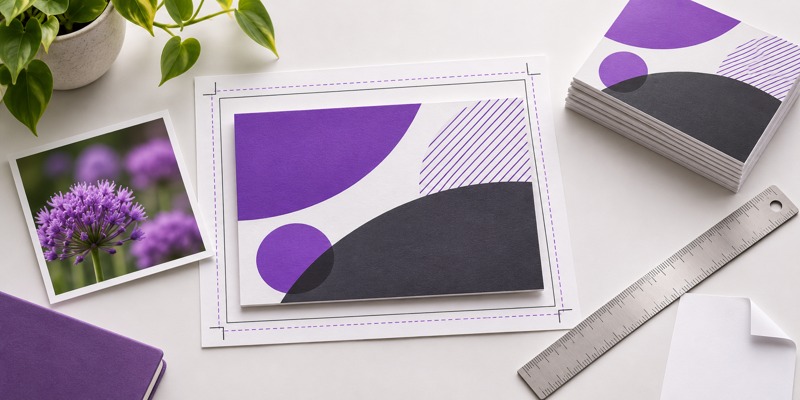
How to Prepare Files for Commercial Printing
Learn the complete process for preparing commercial print files, including document setup, bleed, safe margins, image resolution, CMYK colors, fonts, PDF export, and final preflight checks.
ND4C Print Experts
PRINT PLAYBOOK GUIDE - FILE SETUP & DESIGN
Part of Series: File Setup
Rich Black vs Standard Black in Printing
Standard black uses only the K channel, while rich black combines multiple CMYK inks for a deeper appearance. Learn when to use each, why registration matters, and ND4C's recommended rich-black formula.
ND4C Print Experts
PRINT PLAYBOOK GUIDE - FILE SETUP & DESIGN
Part of Series: File Setup
Overprint Explained: How It Works in Commercial Printing
Overprint allows one ink to print over another without removing the underlying color. Learn when overprint is useful, how it differs from knockout and trapping, and how to prevent disappearing artwork, unexpected color changes, and PDF production errors.
ND4C Print Experts