PRINT PLAYBOOK GUIDE - FILE SETUP & DESIGN
Part of Series: File Setup
Rich Black vs Standard Black in Printing
 ND4C Print Experts
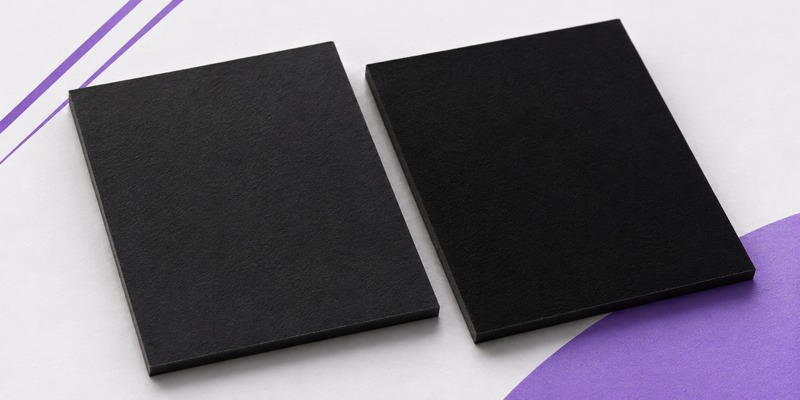
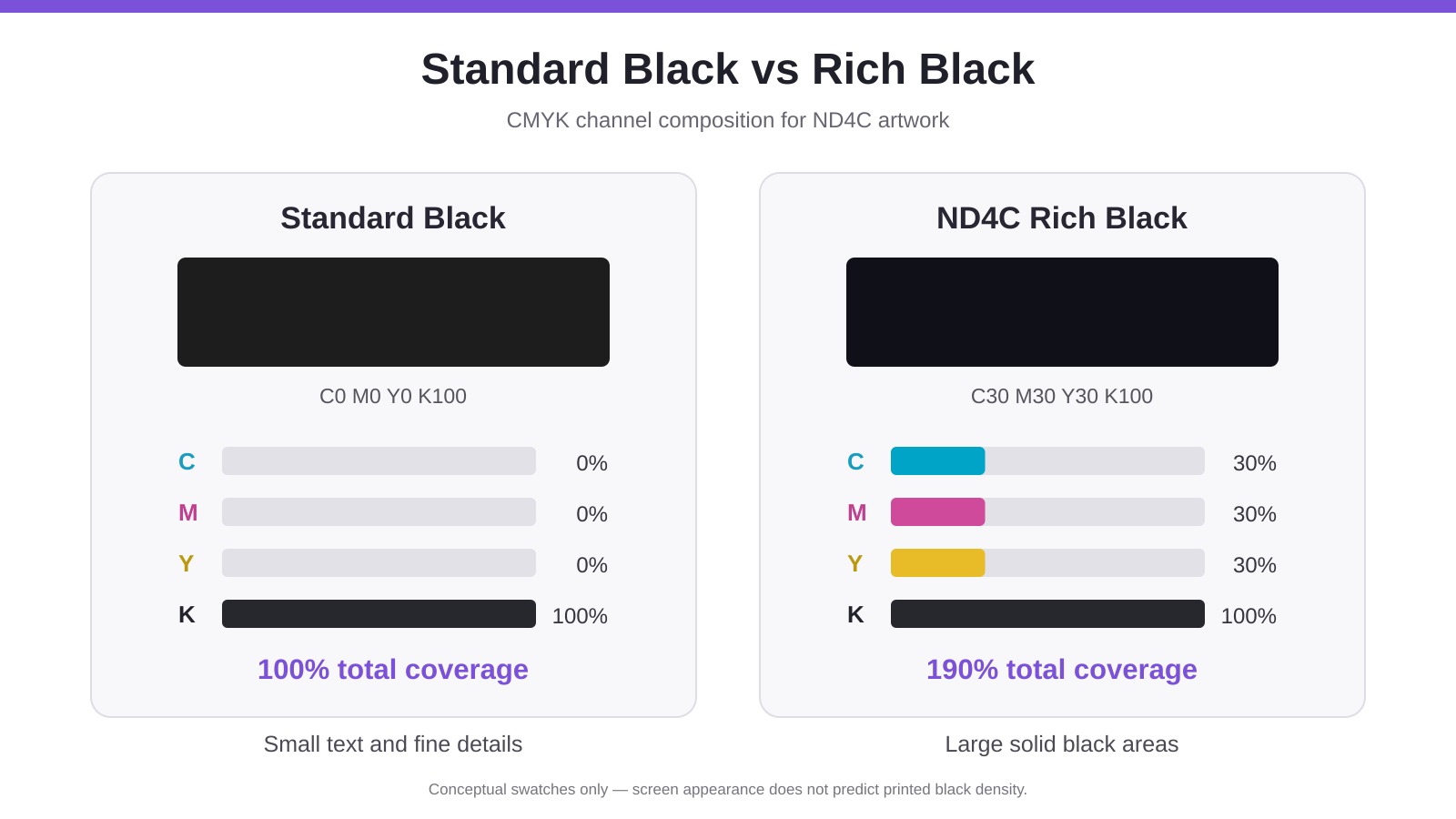
Rich black combines black ink with additional cyan, magenta, and yellow inks to create a deeper, more saturated black appearance. Standard black, also called 100% K, uses only the black ink channel. Use standard black for small text and fine details, and consider rich black for large solid areas. At ND4C, the recommended rich-black formula is C30 M30 Y30 K100.
Choosing the correct black affects more than appearance. It also influences registration, edge sharpness, and how black elements interact with surrounding artwork.
What Is Standard Black (100% K)?
Standard black uses only the black component of the CMYK printing process. Its values are C0 M0 Y0 K100.
In conventional four-color offset printing, K-only black is reproduced using the black printing plate. It does not require additional cyan, magenta, or yellow separations to create the black object.
This makes it useful for small text, fine lines, borders, small icons, technical details, and other elements requiring precise edges. ND4C recommends 100% K for small black text and fine lines.
Because these elements depend on only one color separation, they avoid the colored fringes that can occur when multiple printing colors are slightly misaligned. Standard black does not always produce the deepest-looking black, particularly across large printed areas.
What Is Rich Black?
Rich black is created by combining process black with additional CMYK inks. The extra color components can increase the perceived darkness and richness of a printed black area. Rich black is commonly used for large backgrounds, solid panels, dark brochure covers, and substantial graphic elements.
What Rich-Black Formula Does ND4C Recommend?
| Ink channel | ND4C rich black |
|---|---|
| Cyan (C) | 30% |
| Magenta (M) | 30% |
| Yellow (Y) | 30% |
| Black (K) | 100% |
| Total ink coverage | 190% |
This is the formula ND4C uses when creating or modifying artwork that requires rich black. Other commercial printers may specify different builds based on their equipment, substrates, inks, and workflows.
Rich Black vs Standard Black: Key Differences
| Characteristic | Standard black | Rich black |
|---|---|---|
| ND4C recommended values | C0 M0 Y0 K100 | C30 M30 Y30 K100 |
| Ink channels | Black only | All four CMYK channels |
| Appearance | Standard process black | Typically deeper and more saturated |
| Small text and fine lines | Recommended | Generally avoid |
| Large solid backgrounds | May appear less dense | Often preferred |
| Registration sensitivity | Lower | Higher |
| Total ink coverage | 100% | 190% with ND4C's formula |
The important distinction is that rich black is intended to improve suitable graphic areas, not replace standard black throughout a document.
Why Should Small Black Text Use 100% K?
Small text requires precise reproduction of fine edges. In conventional four-color offset printing, the four process-color separations must align accurately, a process called registration.
If small text uses rich black, slight registration differences can cause colored fringes around letters and reduce apparent sharpness. Using 100% K eliminates the need to align additional color components within those black characters.
Example: Business Card Artwork
A business card might contain a large black background, a white logo, and small black contact information on a white panel. The large background is a candidate for ND4C's recommended rich black, while the small contact information should use 100% K. Different black builds are appropriate when they serve different purposes.
ND4C recommends K-only black for small text and fine details in both its digital and offset workflows.
Why Is Rich Black Useful for Large Solid Areas?
Large black areas can reveal density differences that are less noticeable in small text. Depending on the stock and printing conditions, a large K-only solid may appear less saturated than a comparable rich-black area. Additional CMY inks can give such backgrounds greater visual depth.
Rich black is not automatically necessary for every dark design. Photographs and continuous-tone images often contain CMYK combinations generated through color management; do not indiscriminately replace those dark values with a manual rich-black swatch.
How Does Registration Affect Rich Black?
Registration is the accuracy with which printing colors align. Rich-black objects contain multiple ink-channel components, so slight misalignment can produce colored edges. This is particularly visible in small lettering, fine lines, and detailed art. Larger shapes are generally less sensitive to small registration differences.
Should Black Text Be Set to Overprint?
Overprinting allows ink to print over existing background ink instead of knocking out the underlying colors. For solid 100% K text on colored backgrounds, overprinting can help prevent narrow white gaps caused by registration differences.
ND4C recommends overprinting solid black text on backgrounds when appropriate, but does not require customers to configure black overprinting. Overprinting must be evaluated carefully: black may not fully obscure underlying graphics, and unintended overprint settings can change appearance. Rich-black objects may behave differently from K-only text.
See Overprint Explained for a full discussion of overprint and knockout behavior.
What Is Total Ink Coverage?
Total ink coverage (TAC) is the sum of the four CMYK channel percentages at one location. For standard black, 0 + 0 + 0 + 100 = 100%. For ND4C's rich black, 30 + 30 + 30 + 100 = 190%.
In some conventional printing workflows, excessive ink coverage can contribute to drying, setoff, or other production problems. Limits depend on the print condition, ink system, and substrate.
How ND4C Handles Ink Coverage
ND4C does not routinely flag excessive total ink coverage during PDF preflight. In its UV-curing press workflow, conventional ink-drying concerns are no longer a routine issue. This does not mean that every possible CMYK build is appropriate for every printer or design. Use ND4C's established rich-black formula where rich black is needed.
Does Paper Type Affect Black Appearance?
Yes. On coated stocks, ink generally stays more concentrated near the surface, supporting stronger apparent density and crisp detail. Uncoated stocks typically absorb more ink, influencing density and dot gain. A black build can therefore look different on different papers or finishes.
For color-sensitive work, ND4C offers both PDF and printed proof options when requested in the order notes. See Coated vs Uncoated Paper and Color Matching for Print for related guidance.
Common Black Color Setup Mistakes
| Mistake | Potential result | Prevention |
|---|---|---|
| Rich black for small text | Colored edges or softer detail | Use 100% K |
| K-only black for a background intended to look deeper | Less saturated appearance | Consider ND4C rich black |
| Inconsistent black builds | Visible differences between adjacent blacks | Review swatches and separations |
| Registration swatch used as black | Unnecessary ink on every separation | Use appropriate CMYK black |
| Unreviewed RGB conversion | Unexpected four-color black | Inspect final CMYK values |
| Unintended overprint | Background colors affect the appearance | Review output preview |
Do Not Use Registration Color as Rich Black
Design software may include a Registration swatch intended for marks appearing on every separation. In four-color work it commonly uses C100 M100 Y100 K100, totaling 400%. Registration color is not an appropriate substitute for rich black in ordinary artwork.
How to Prepare Black Artwork for Commercial Printing
- ☐ Set small black type and fine lines to C0 M0 Y0 K100.
- ☐ Identify large black areas that would benefit from rich black.
- ☐ For ND4C orders, use C30 M30 Y30 K100 for suitable rich-black elements.
- ☐ Confirm that Registration color has not been used for ordinary art.
- ☐ Review overprint settings on black text over colored backgrounds.
- ☐ Inspect CMYK separations and exported PDF values.
- ☐ Check that color conversion has not unintentionally changed black elements.
- ☐ Use the free ND4C product-specific artwork template.
ND4C requires CMYK artwork in submitted PDFs; customers must convert RGB elements before submission. ND4C routinely runs automated PDF preflight, but designers should still inspect their files. A different rich-black recipe rarely triggers a request for replacement; inappropriate rich black on fine elements is more likely to be flagged.
Frequently Asked Questions
What is the difference between rich black and standard black?
Standard black uses only K ink. Rich black combines black with additional CMY components for a deeper appearance. Standard black suits small details, while rich black often suits large areas.
What is the best rich-black CMYK formula?
No one formula fits every printer. ND4C recommends C30 M30 Y30 K100 for both digital and offset work.
Should black text be rich black or 100% K?
Use 100% K for small black text and fine lines to avoid unnecessary registration sensitivity.
Should black text overprint a colored background?
Often, yes. Overprinting solid K-only text can prevent registration-related gaps. ND4C recommends it when appropriate but does not require customer-applied overprint settings.
Can rich black be used on business cards?
Yes, it may suit large background panels. Keep small black contact information at 100% K.
Is rich black the same as registration black?
No. Rich black uses a selected CMYK mix. Registration color prints on every separation and should not be used for ordinary design elements.
Does ND4C use different rich-black formulas for digital and offset?
No. ND4C's recommended formula is C30 M30 Y30 K100 for both workflows.
Prepare Black Artwork With Confidence
Use 100% K for small text and fine details, and ND4C's recommended rich-black formula for suitable large black areas. Start with ND4C's free downloadable artwork templates for correct product dimensions, bleed, and layout.
ND4C serves print resellers, sign shops, designers, and other trade customers exclusively. New wholesale customers can register for access to trade pricing.
ND4C is a wholesale trade printer with more than two decades of industry experience. Our Print Playbook guides draw on firsthand expertise across prepress, production, customer support, design, and print technology to help retail printers and print resellers make better production decisions.