PRINT PLAYBOOK GUIDE - FILE SETUP & DESIGN
Part of Series: File Setup
Fonts and Outlining Text for Printing
 ND4C Print Experts
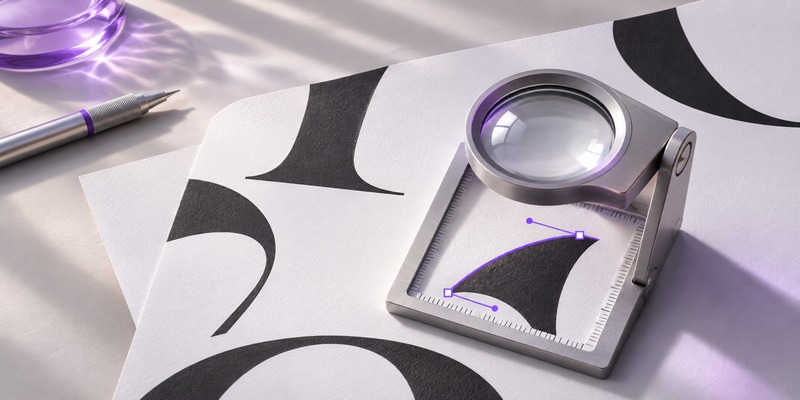
Fonts do not always need to be outlined before submitting artwork for commercial printing. A properly exported PDF with embedded fonts can reproduce text accurately without converting it to outlines. Outlining eliminates font dependencies and helps prevent certain substitution or rendering problems. ND4C prefers outlined fonts for all submitted print PDFs, but routinely accepts correctly embedded fonts.
What Does It Mean to Outline Fonts?
Outlining converts editable characters into vector shapes that preserve the appearance of individual letters, numbers, and symbols. Editable text uses character information associated with a font; outlined text consists of paths describing the letterforms. Both can reproduce sharply in print, but outlined text can no longer be changed using ordinary text-editing tools.
Embedded Fonts vs. Outlined Text
| Feature | Embedded Fonts | Outlined Text |
|---|---|---|
| Construction | Characters and embedded font data | Vector shapes |
| Font dependency | Needed data stored in PDF | No dependency for outlined characters |
| Editing | May remain editable with suitable software | Cannot edit as ordinary text |
| Search and accessibility | Can retain character information | Generally loses text semantics |
| Typical use | Brochures and text-heavy documents | Logos and custom lettering |
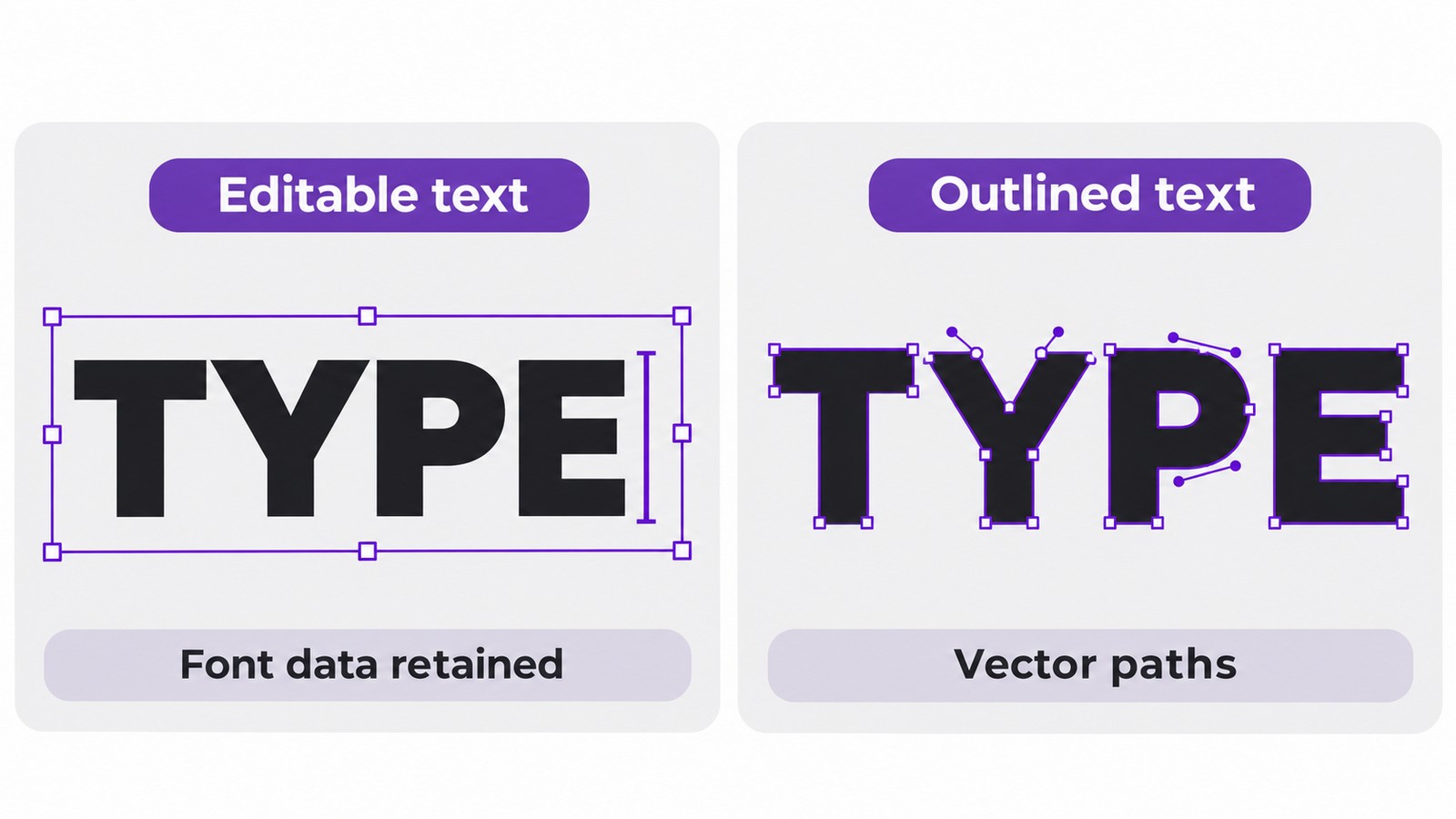
Neither approach is universally superior. ND4C's production preference is outlined text, while properly embedded fonts are routinely accepted.
How Does Font Embedding Work?
Font embedding stores the information needed to display and print type inside the PDF, reducing reliance on fonts installed on another computer. It helps preserve letter shapes, spacing, and line breaks. A PDF may embed only the glyphs used in the document, known as font subsetting; this is normal and not inherently a print defect.
Can Every Font Be Embedded?
No. Some typefaces have licensing or technical restrictions. Damaged font files and export problems can also prevent correct embedding. Resolve font warnings, use a licensed alternative, or convert affected text to outlines where technically and legally permitted. Do not assume every font permits every operation.
When Should Fonts Be Outlined?
Logos and Custom Lettering
Logos and wordmarks often contain modified letterforms. Converting them to paths preserves the finished geometry without depending on the original font being present.
Specialized Fonts
Older, decorative, or unusual fonts can introduce compatibility concerns. Outlining eliminates their font dependency, although a correctly embedded version may work just as reliably.
Typography With Complex Effects
Distortion, strokes, clipping masks, overlapping objects, and transparency require close inspection. Outlining may help with deliberate letterform construction, but does not automatically fix transparency or overprint problems. See Transparency in Print Files and Overprint Explained.
What Happens When Fonts Are Missing?
When a design application cannot find a typeface, it may report a missing font. A PDF that lacks the necessary embedded font data may substitute a different typeface. That substitution can change letter shapes, text width, line breaks, or specialized characters. For example, a brochure heading designed for two lines may wrap onto three with a wider replacement font.
ND4C checks font-related concerns when an issue is flagged, rather than performing a dedicated font inspection on every submitted PDF. If missing fonts or substitution cause a production concern, ND4C generally requests corrected artwork. Corrections can delay production.
Should Every Font Be Outlined?
Not necessarily. A business card with a few lines of finalized text is straightforward to outline. A long catalog with frequently changing product details is easier to revise when its source retains live text. Always keep an editable original regardless of what you send for production.
| Application | Practical consideration |
|---|---|
| Business card | Outlining finalized text is often convenient |
| Logo | Outlining is generally appropriate |
| Brochure | Embedded fonts work when the printer accepts them |
| Multipage catalog | Live source text simplifies later revisions |
| Custom display headline | Outlining can preserve modified letterforms |
| Accessible digital PDF | Preserve real text and its semantics |
For ND4C print PDFs, outlined fonts remain preferred, but correctly embedded fonts are routinely accepted.
Does Outlining Improve Print Sharpness?
Not inherently. Embedded fonts and outlined vector letterforms can both print sharply. Both are scalable vector content, unlike raster images that have a fixed pixel resolution. The usual 300 PPI image recommendation therefore does not apply to their vector shapes in the same way. For context, read Vector vs. Raster Graphics.
What Are the Drawbacks of Outlining?
Editing Limitations
Changing a phone number or correcting a spelling mistake after outlining can require rebuilding the text from an editable source.
Searchability and Accessibility
Outlines represent geometry rather than normal characters. They generally lose ordinary text selection, searching, copying, and screen-reader interpretation. A separate accessible digital PDF is sensible when the publication will also be distributed online.
More Complex Artwork
Outlining a long document can produce many vector paths and make revisions cumbersome. Retain the original design file.
How to Outline Fonts Safely
- ☐ Save the original document with editable text.
- ☐ Create a separate production copy.
- ☐ Resolve missing-font warnings and proofread all text.
- ☐ Use the design application's text-to-outline command for the required typography.
- ☐ Inspect punctuation, special characters, fine strokes, and effects.
- ☐ Export a print-ready PDF to the printer's requirements.
- ☐ Open and review the exported PDF, not just the source layout.
In Adobe Illustrator, use Type > Create Outlines. Do this after final proofreading.
How to Check Fonts in the Exported PDF
In Adobe Acrobat, open Document Properties > Fonts to inspect fonts used by the PDF and whether they are embedded or subset. Completely outlined type may no longer appear in the font list. Independently inspect the final pages: check characters, line wrapping, letter spacing, special symbols, thin strokes, and any altered effects. The font list alone cannot identify every visual problem.
Also verify finished dimensions, safe area, bleed, color mode, and raster-image resolution. ND4C provides a free downloadable artwork template for every catalog product and strongly recommends using it. Standard bleed is 0.125 inch, subject to the specific template. See PDF Print File Requirements and How to Prepare Files for Commercial Printing.
Common Font Preparation Mistakes
| Mistake | Risk | Prevention |
|---|---|---|
| Fonts not embedded | Substitution | Check the PDF font list |
| Outlining before proofreading | Difficult corrections | Finalize copy first |
| Overwriting the source file | Loss of editable text | Keep a production copy |
| Assuming outlines fix effects | Unexpected output | Inspect the PDF visually |
| Ignoring font warnings | Changed glyphs or spacing | Resolve warnings before export |
Frequently Asked Questions
Do fonts have to be outlined for commercial printing?
No. Many print workflows accept correctly embedded fonts. ND4C prefers outlined fonts but routinely accepts properly embedded fonts.
Is font embedding the same as outlining?
No. Embedding stores font information inside the PDF; outlining replaces characters with vector paths.
Will outlined fonts print sharper?
Not inherently. Both correctly embedded fonts and outlined vectors can produce sharp commercial print.
Can outlined text be edited?
Its individual vector shapes can be altered, but it cannot be edited normally as words or paragraphs. Keep an editable source.
Can a PDF contain outlined and embedded text together?
Yes. An outlined logo can coexist with embedded body copy in a single PDF.
How does ND4C handle font problems?
When a missing-font or substitution issue is flagged, ND4C generally requests corrected artwork.
How can I verify that fonts are embedded?
Use Acrobat's Document Properties > Fonts panel, then inspect the exported PDF visually for unexpected changes.
Final Recommendation
Outline finalized fonts when practical, especially in logos and custom lettering, and retain an editable original. Properly embedded fonts remain a reliable option when accepted by the production workflow. ND4C prefers outlines but accepts properly embedded font data in submitted print PDFs.
Use ND4C's free product-specific artwork templates when preparing files. New trade customers can register for access to wholesale printing prices.
ND4C is a wholesale trade printer with more than two decades of industry experience. Our Print Playbook guides draw on firsthand expertise across prepress, production, customer support, design, and print technology to help retail printers and print resellers make better production decisions.